
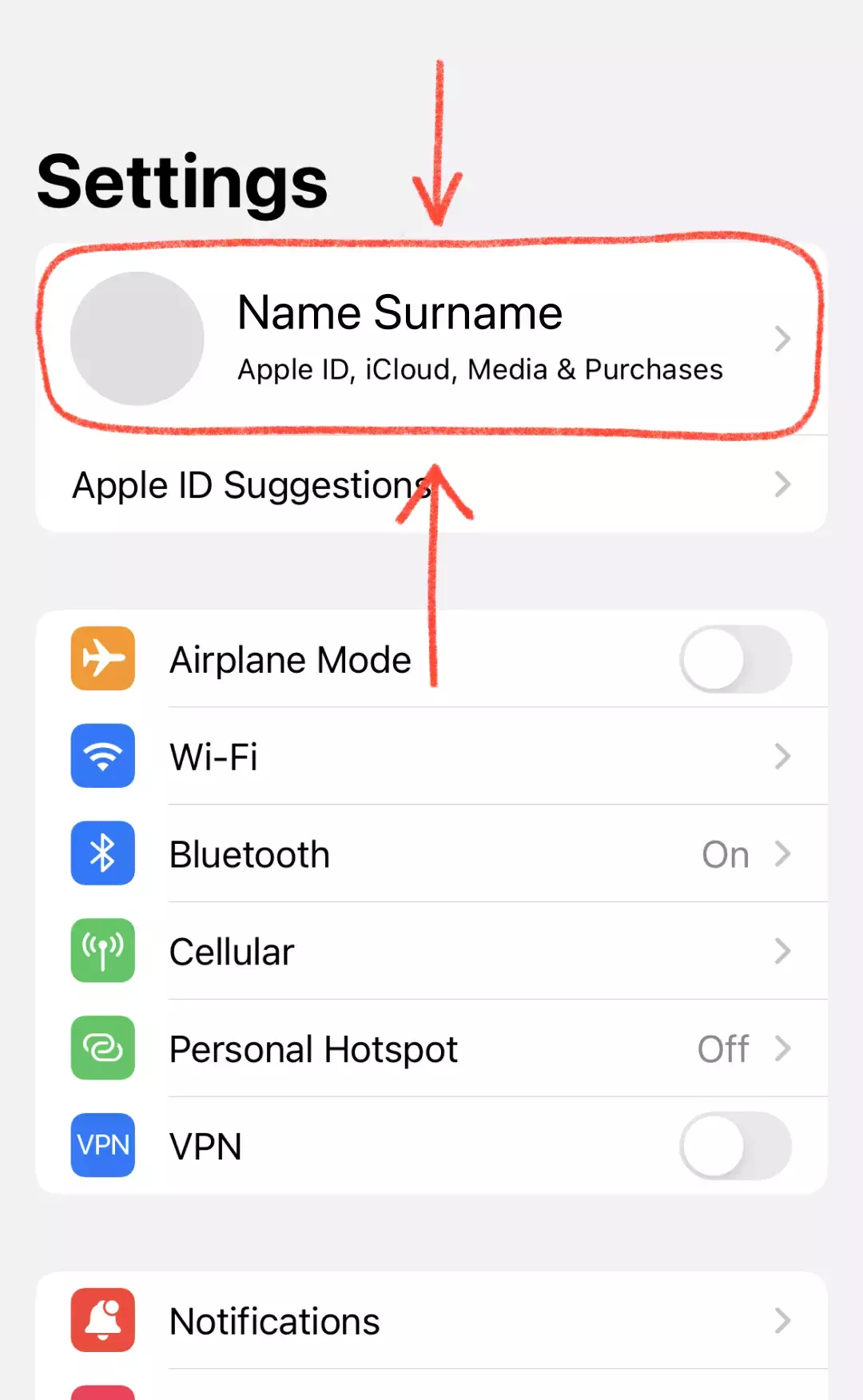
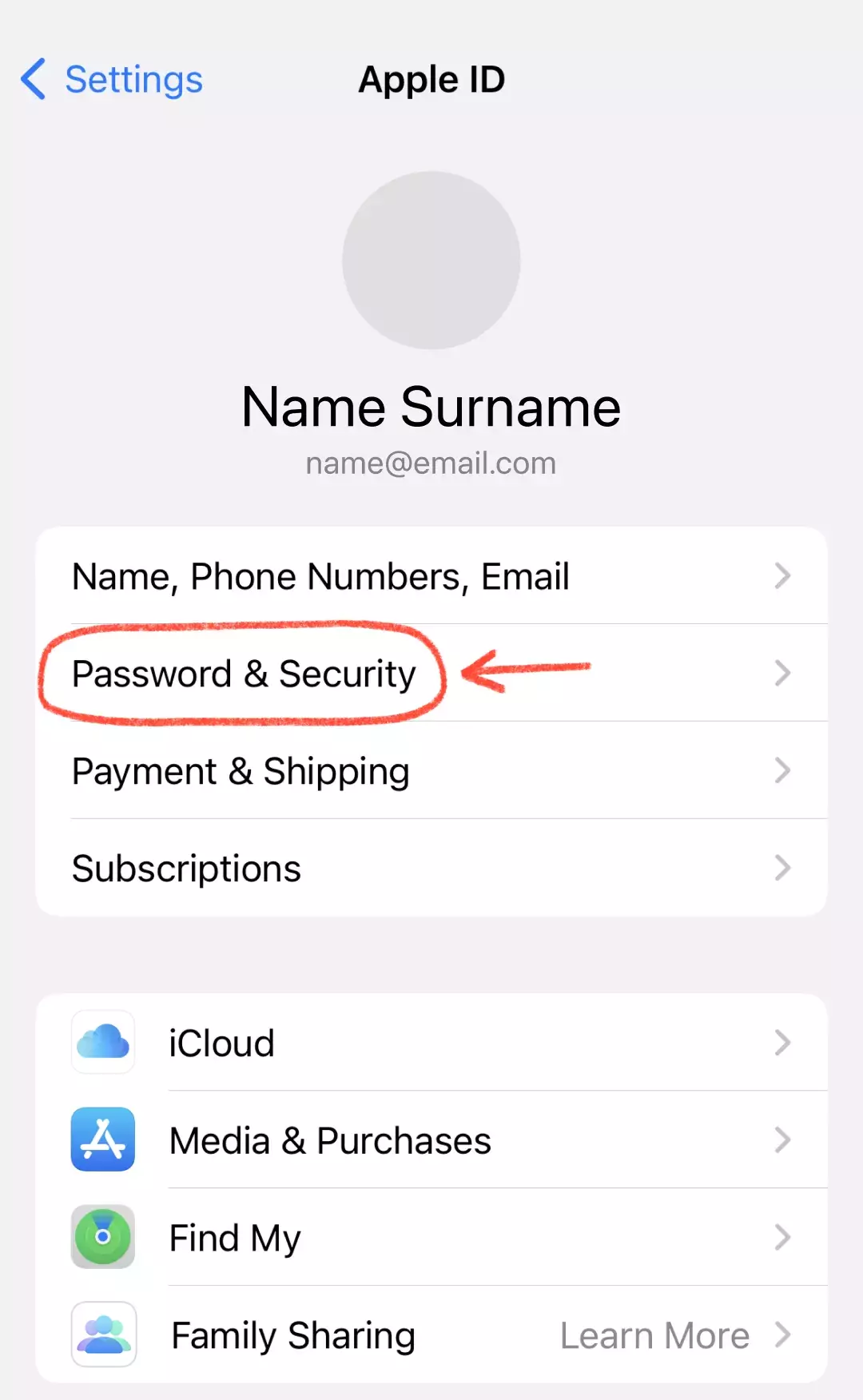
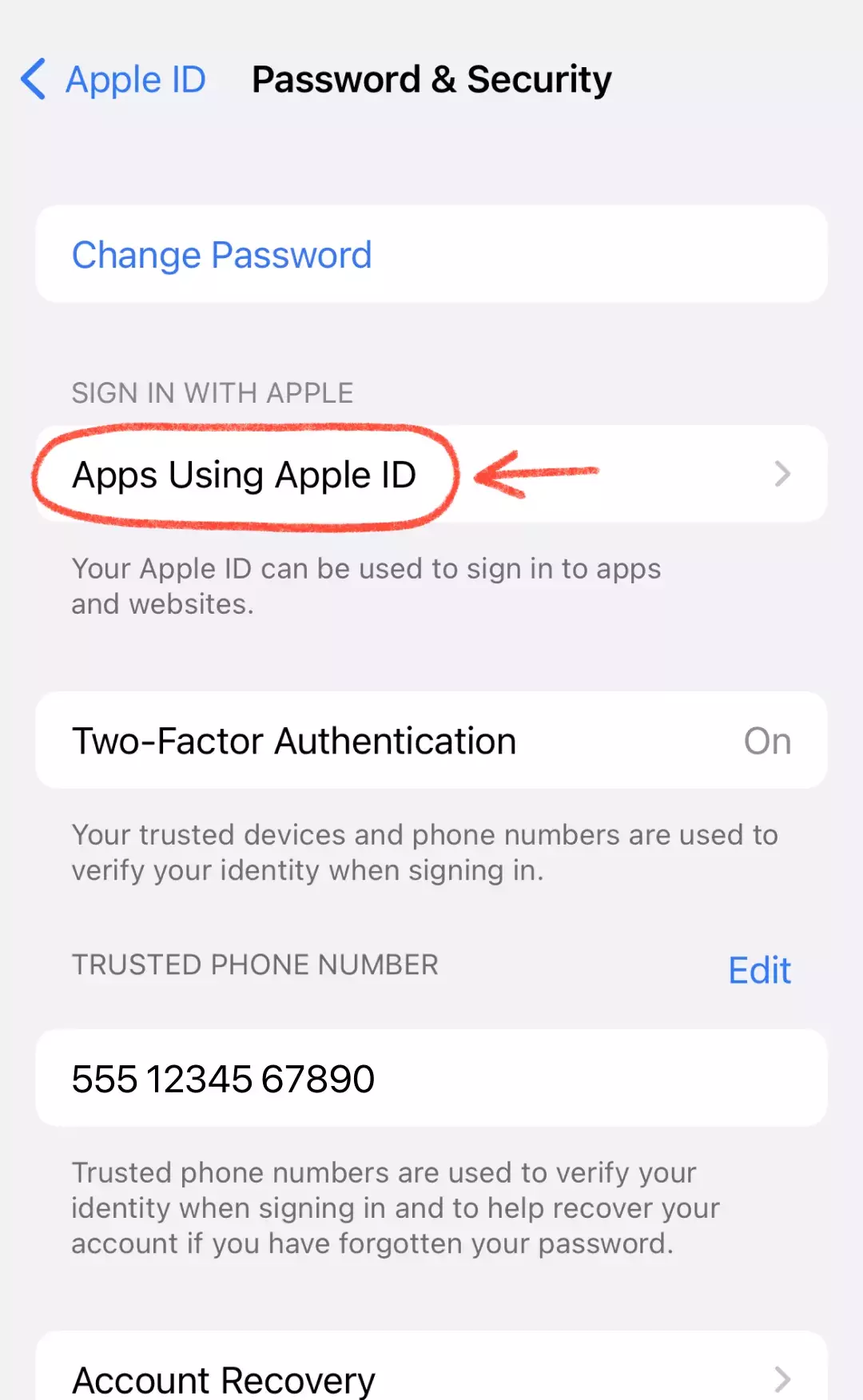
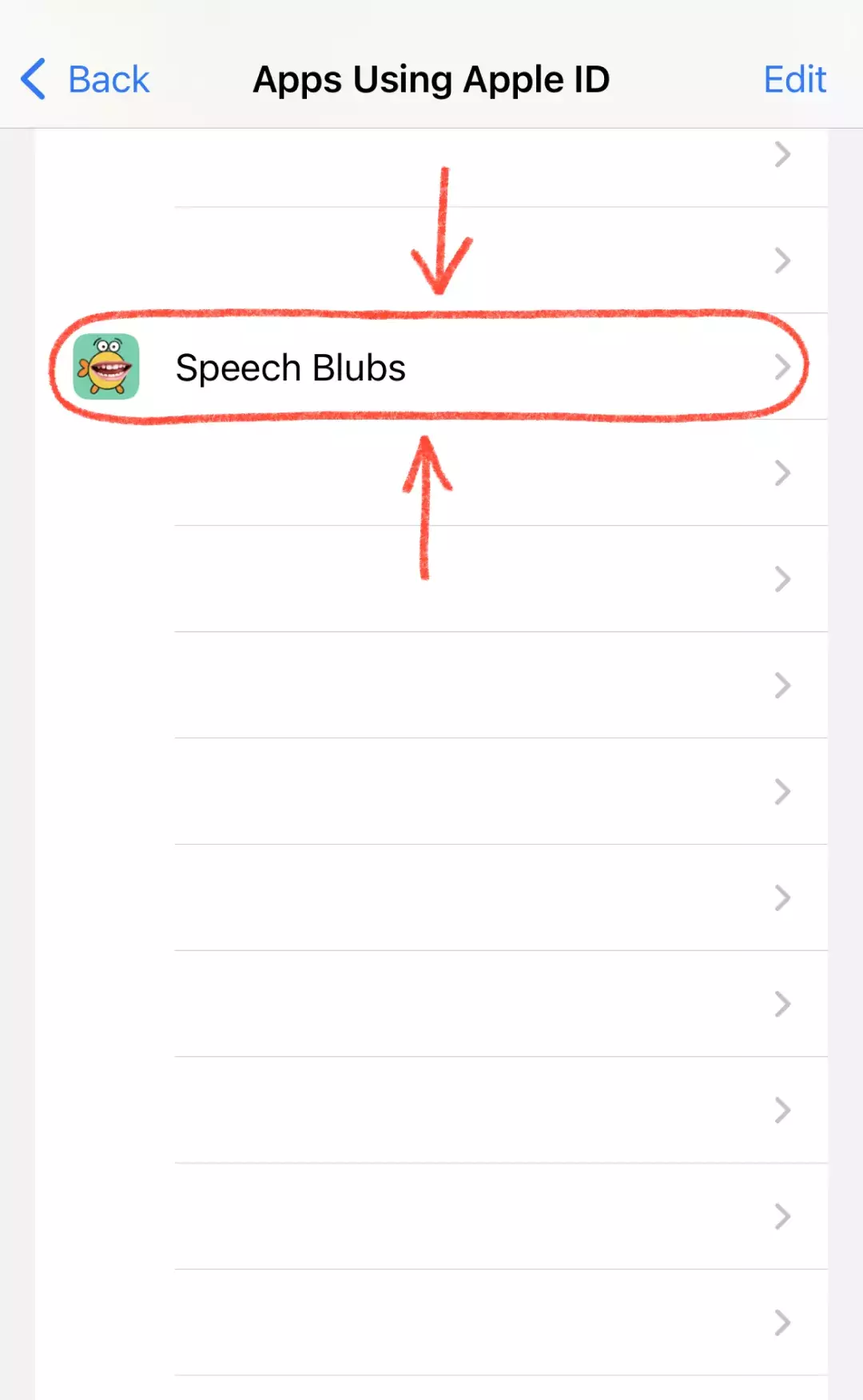
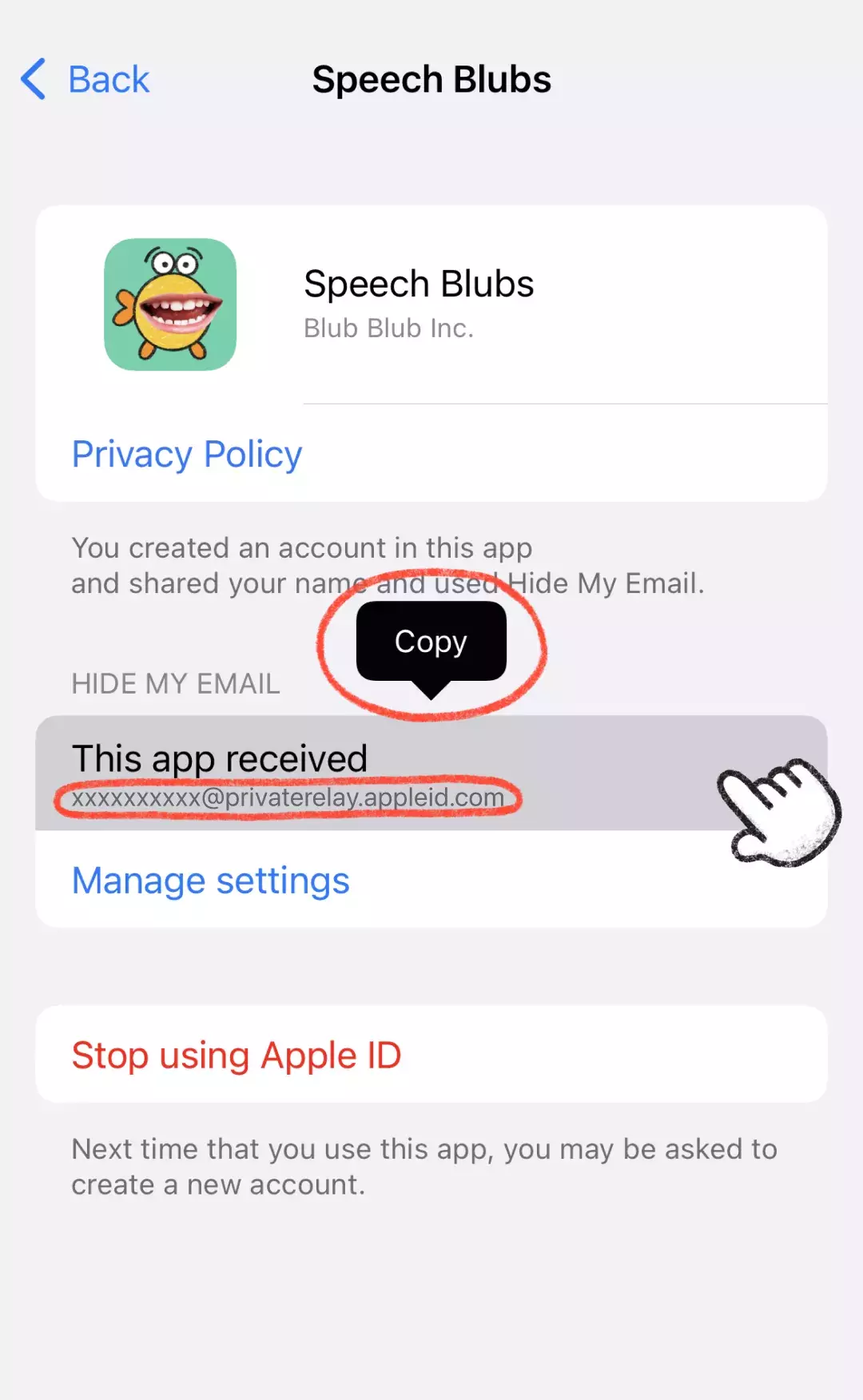
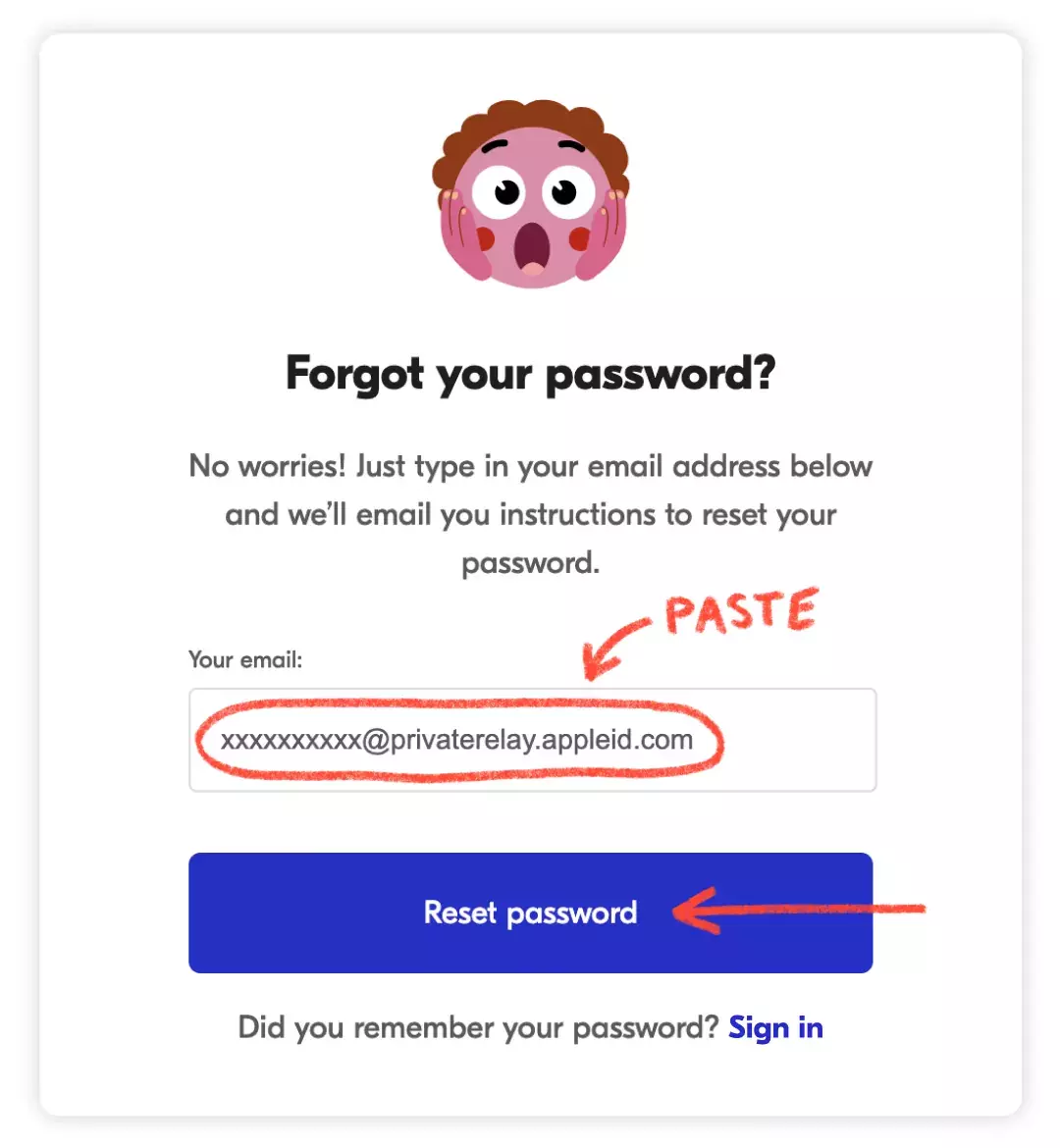
If you registered using Apple Login with the "Hide My Email" option, Apple created an anonymous email address for your account, which you will need to log in. To find it: 1) Open Settings on your iOS device and tap your Apple ID at the top; 2) Choose Passwords & Security; 3) Tap "Apps Using Apple ID"; 4) Find Speech Blubs in the list and tap it; 5) Copy the address shown under "This app received". Then go to our website, paste that email and set up a password; you will receive a reset link at your personal email address. After setting a new password, you can log in to Speech Blubs on iOS or Android. Still stuck? Contact us at [email protected].
Payments and subscriptions
I registered with Apple ID, and now I can't log in. What to do?
Can't find your answer?
We'll get back to you as soon as we can. [email protected] and we'll get back to you as soon as we can.