
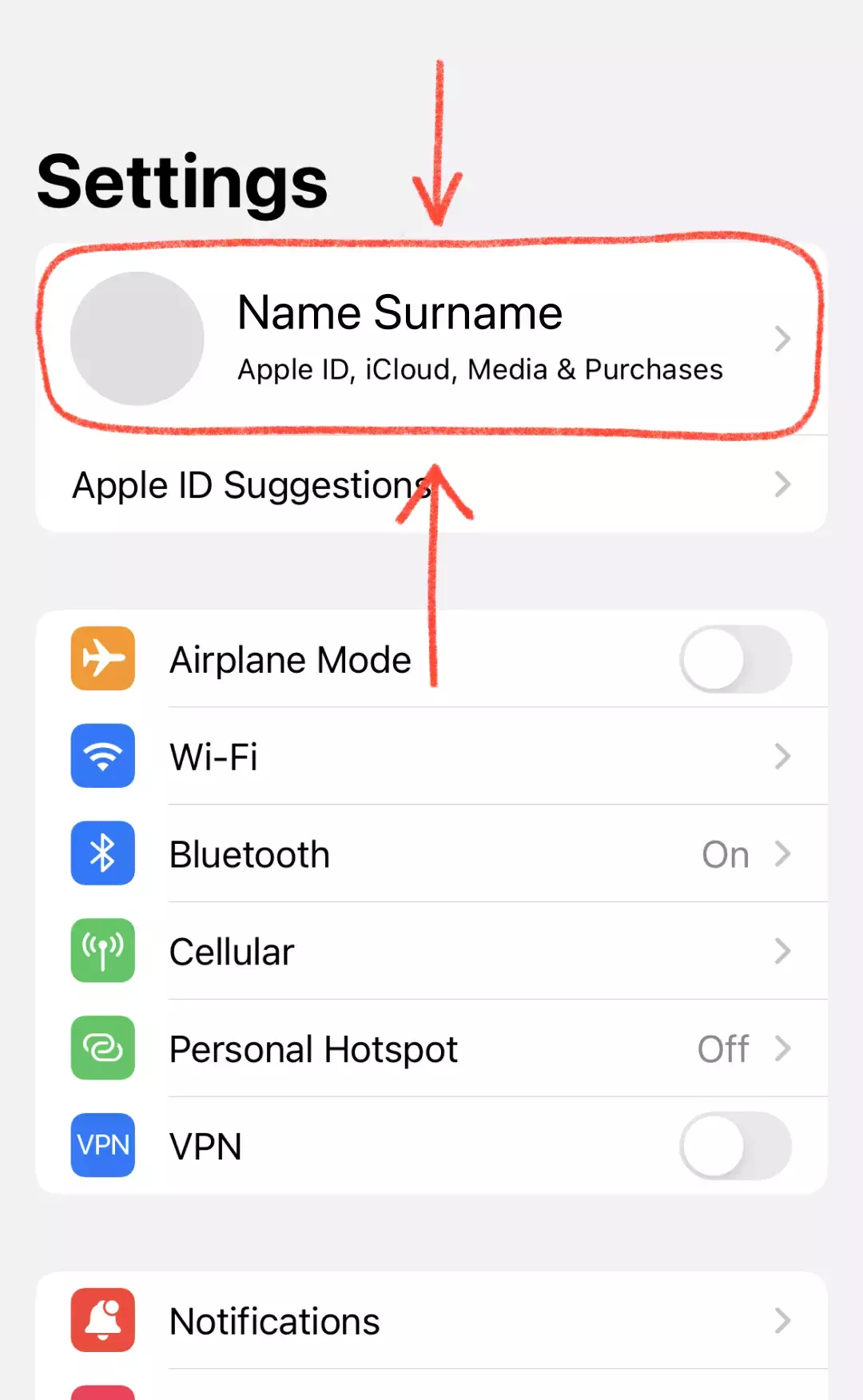
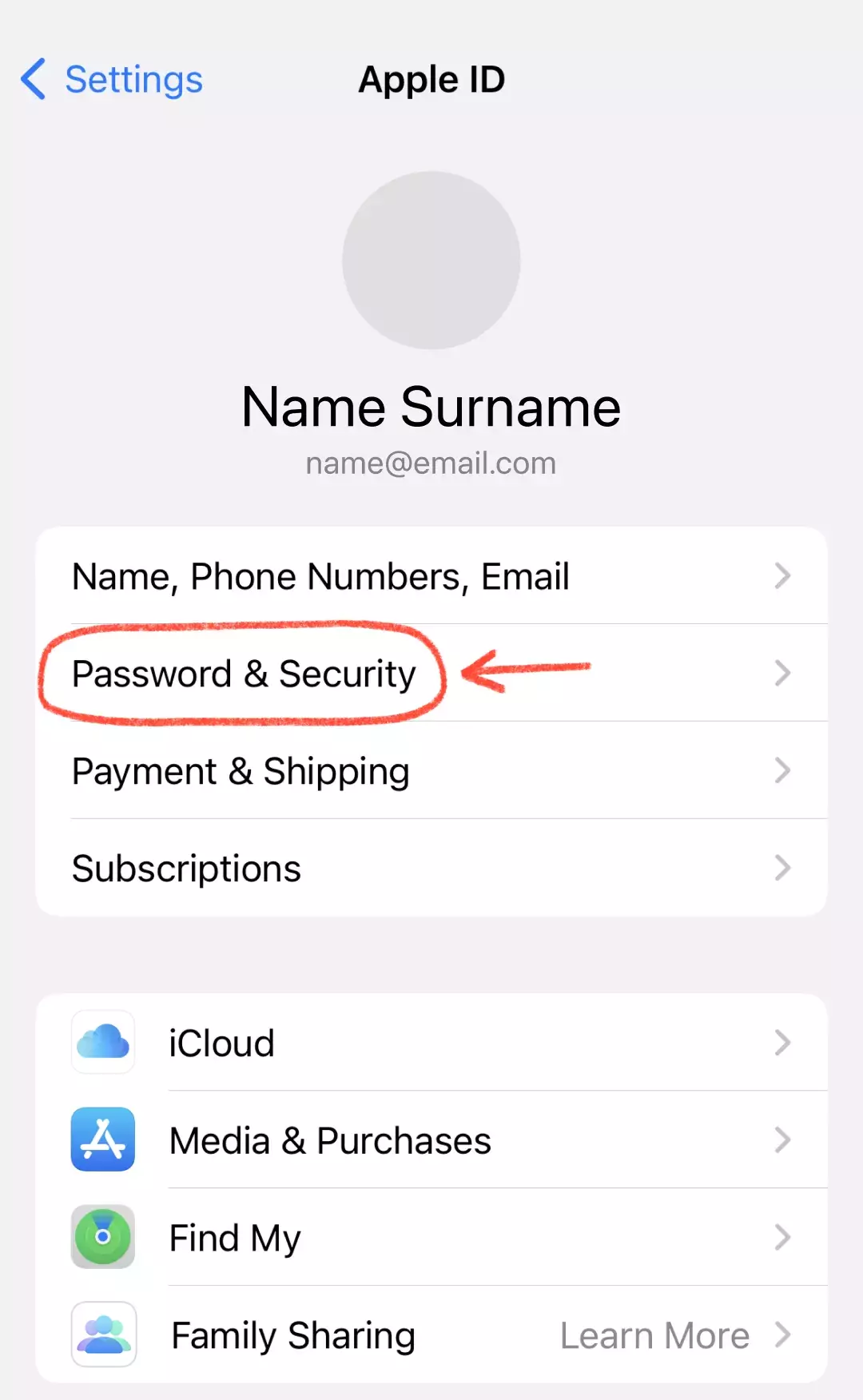
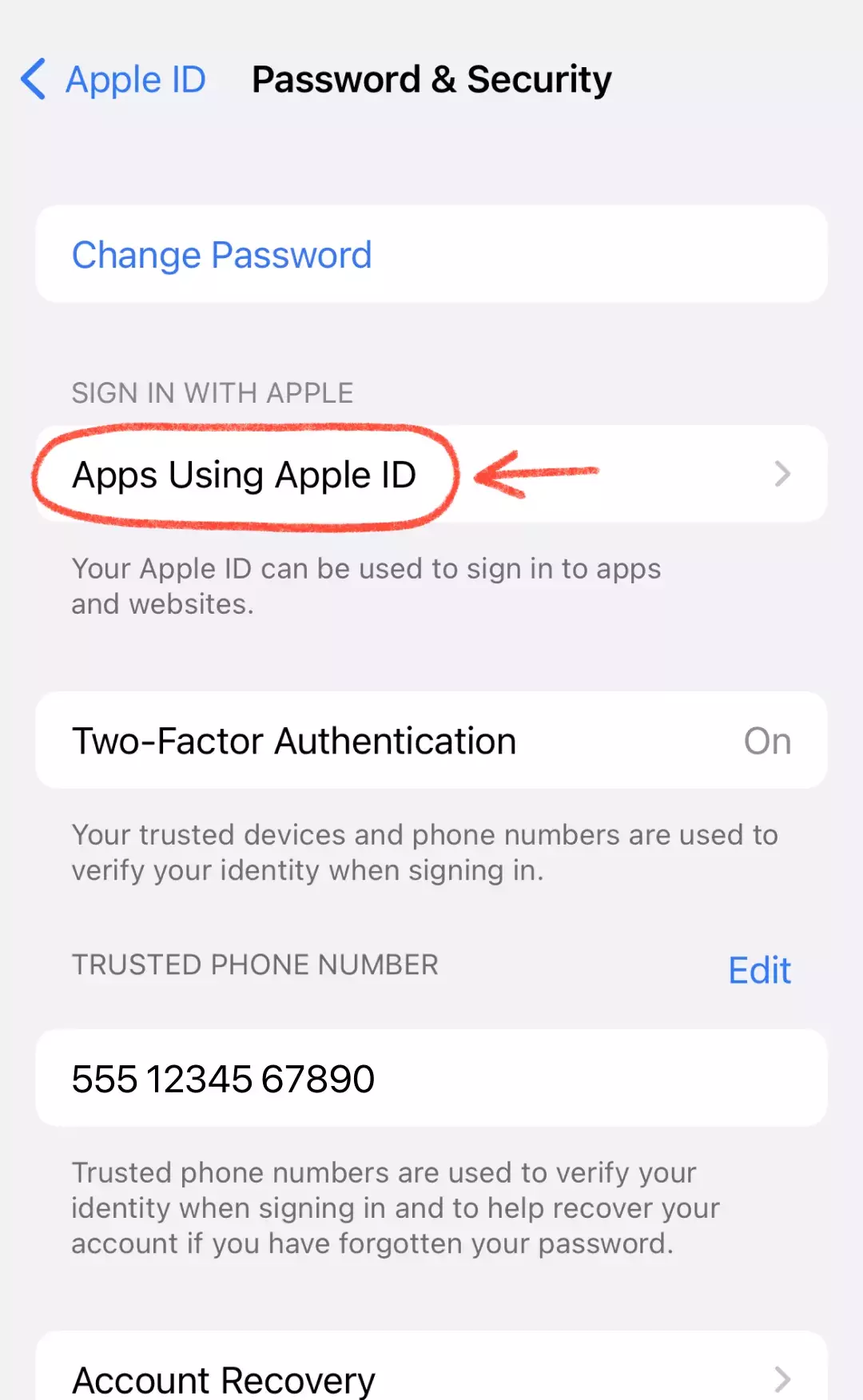
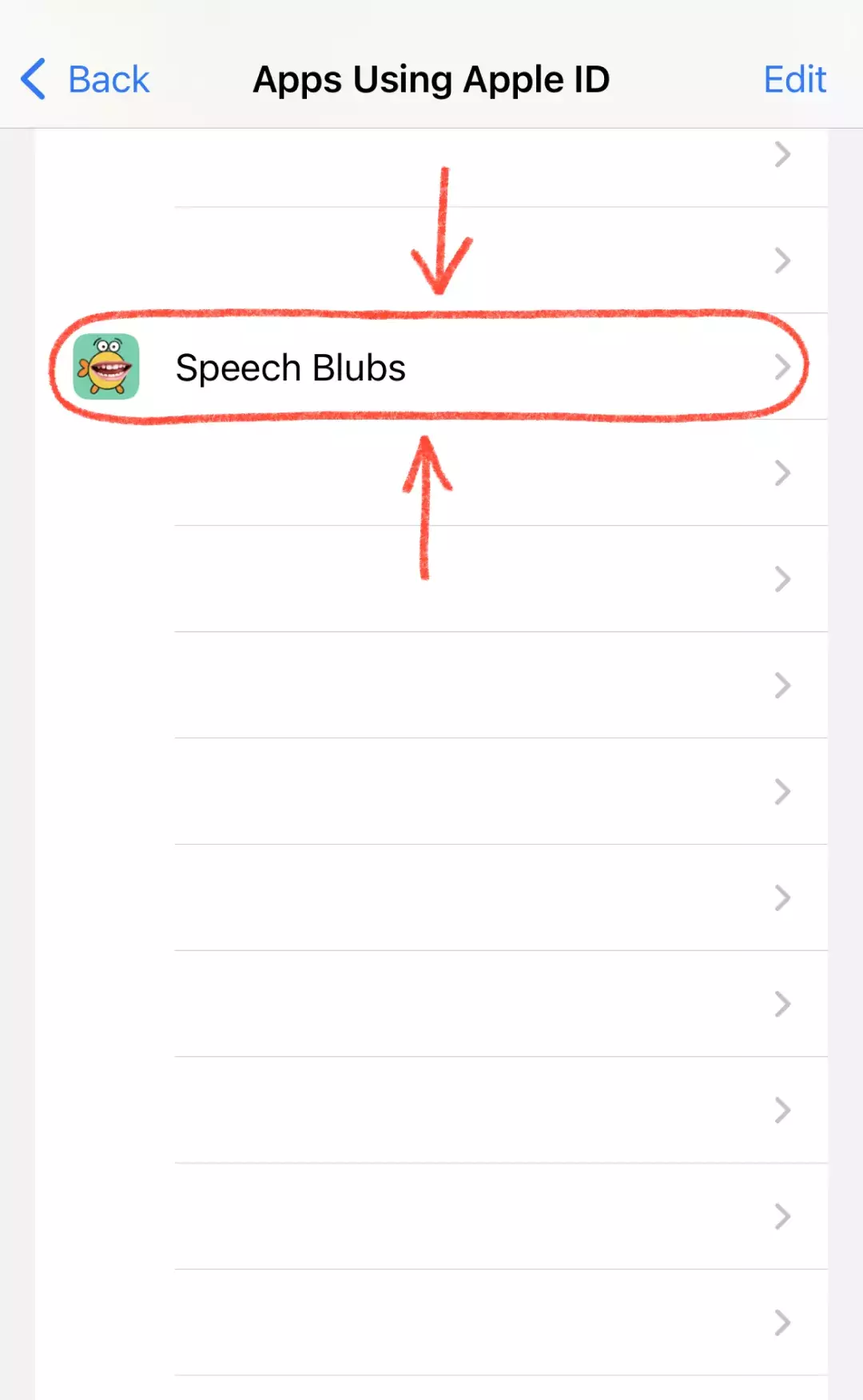
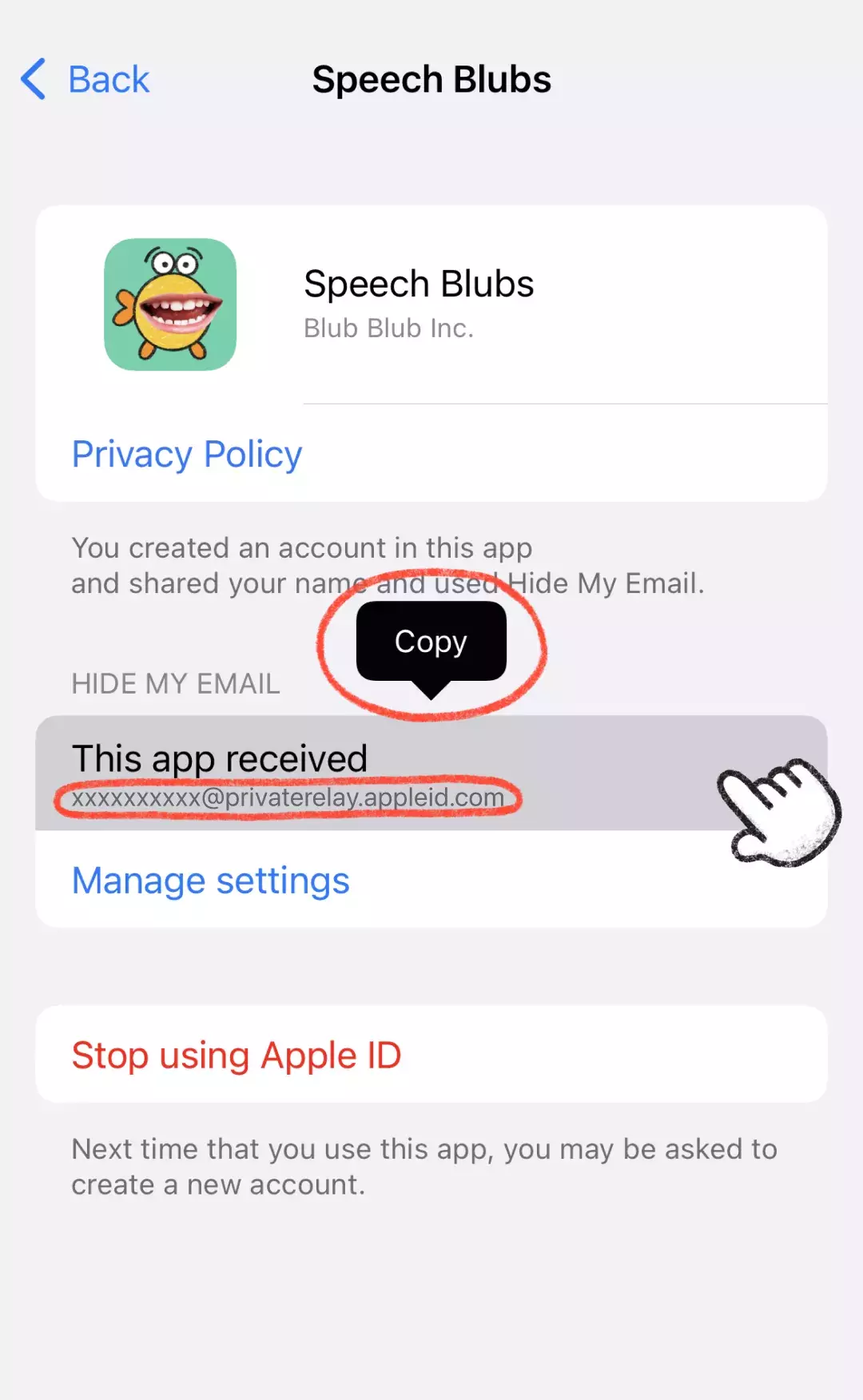
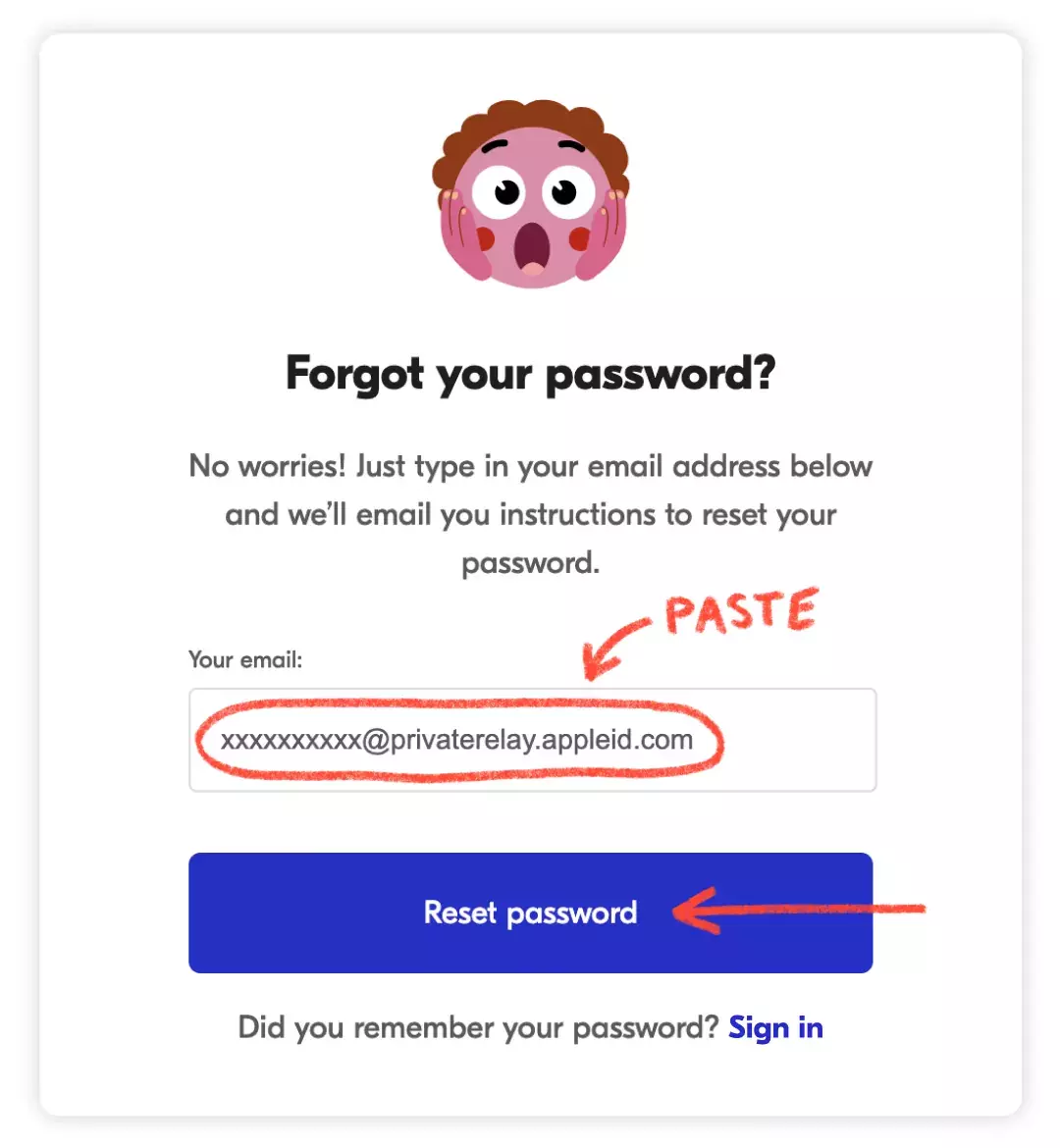
Si te registraste con Apple usando la opción "Ocultar mi correo", Apple creó una dirección de correo anónima para tu cuenta, que necesitarás para iniciar sesión. Para encontrarla: 1) Abre Ajustes en tu dispositivo iOS y toca tu ID de Apple en la parte superior; 2) Elige Contraseña y seguridad; 3) Toca "Apps que usan ID de Apple"; 4) Busca Speech Blubs en la lista y tócala; 5) Copia la dirección que aparece en "Esta app recibió". Luego ve a nuestro sitio web, pega ese correo y crea una contraseña; recibirás un enlace para restablecerla en tu correo personal. Después de crear una nueva contraseña, podrás iniciar sesión en Speech Blubs en iOS o Android. ¿Sigues con problemas? Escríbenos a [email protected].
Pagos y suscripciones
Me registré con ID de Apple y ahora no puedo iniciar sesión. ¿Qué hago?
¿No encuentras tu respuesta?
Te responderemos lo antes posible. [email protected] y te responderemos lo antes posible.